The Books section is your library of creations. View your generated books, explore their covers, and manage your projects with ease.
Viewing Your Books
To access your generated books:
From the app menu, click Books to open the section.
You’ll see a list of all your generated books and covers.
If you have multiple projects, use the filter option to easily sort between Fiction and Nonfiction books.

Working with Your Book
Once your book is generated, you can easily manage and download everything you need:

View Book Cover – Save your AI-generated cover to your device.
Download Book File – Click the .docx button to download your book in editable format.
Edit Book – Edit your book content (opens a new window).
View Content Brief – Revisit the brief that guided the AI when writing your book.
View Amazon Fields – Access key publishing details, including product description, suggested keywords, and recommended categories to help prepare your book for publishing.
More Options – Access more settings like Edit, Regenerate Book Cover, and Generate Illustrations.
Deleting and Restoring Books
Keep your library organized by deleting or restoring books at any time.
To delete books:
Tick the boxes beside the books you want to remove.
Click Move to Bin to send them to the Trash.
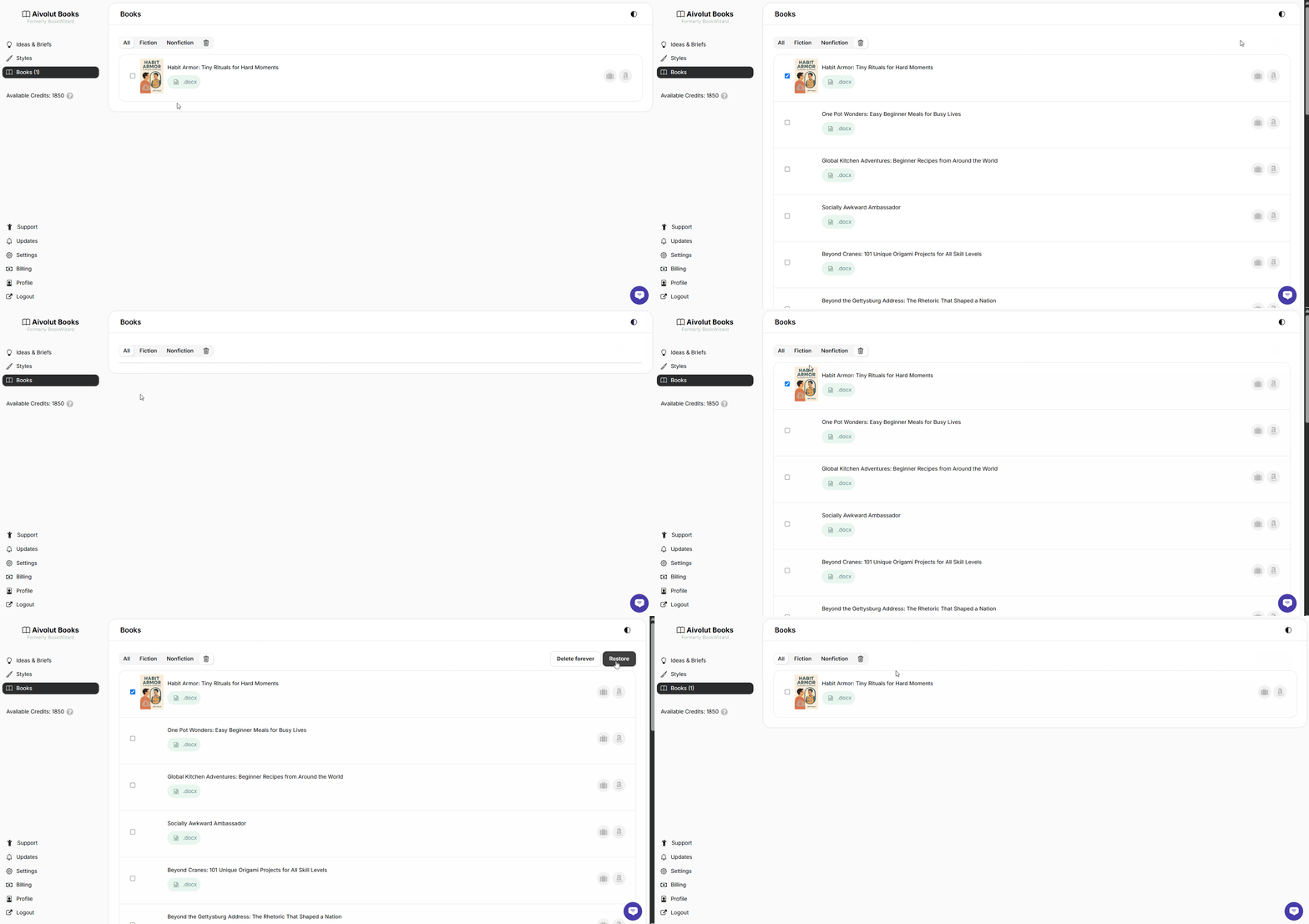
To recover books:
Click the Trash Bin icon to open the Trash section.
Tick the books you want to restore.
Click Recover to return them to your main library.
Still have questions? Contact us for assistance.