Start your creative process in Ideas & Briefs. Choose your book type, select a genre, and write your initial ideas to shape the direction of your next book; brainstorming here doesn’t use any credits.
How to Generate Ideas & Briefs
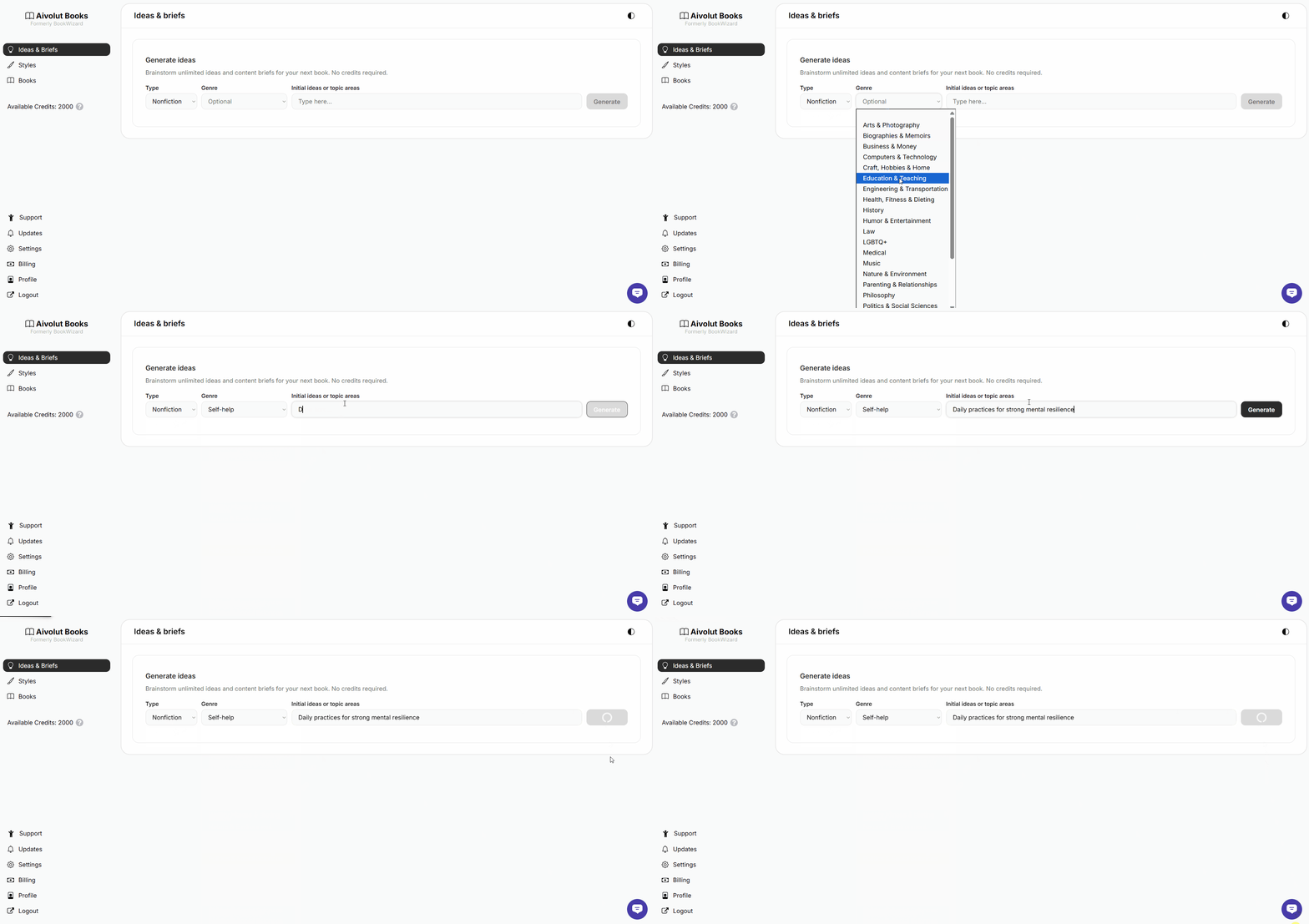
Creating new ideas and briefs only takes a few steps:
Choose a Type – Select whether your book will be Fiction or Non-Fiction.
Select a Genre (Optional) – Narrow down your story’s category or theme to help the AI focus its suggestions.
Add Your Initial Ideas or Topic Areas – Describe the general concept of your book or what you’d like it to be about.
Click Generate – The AI will create tailored ideas and briefs based on your input.
You can create as many ideas and briefs as you like, so feel free to explore different directions and inspirations.
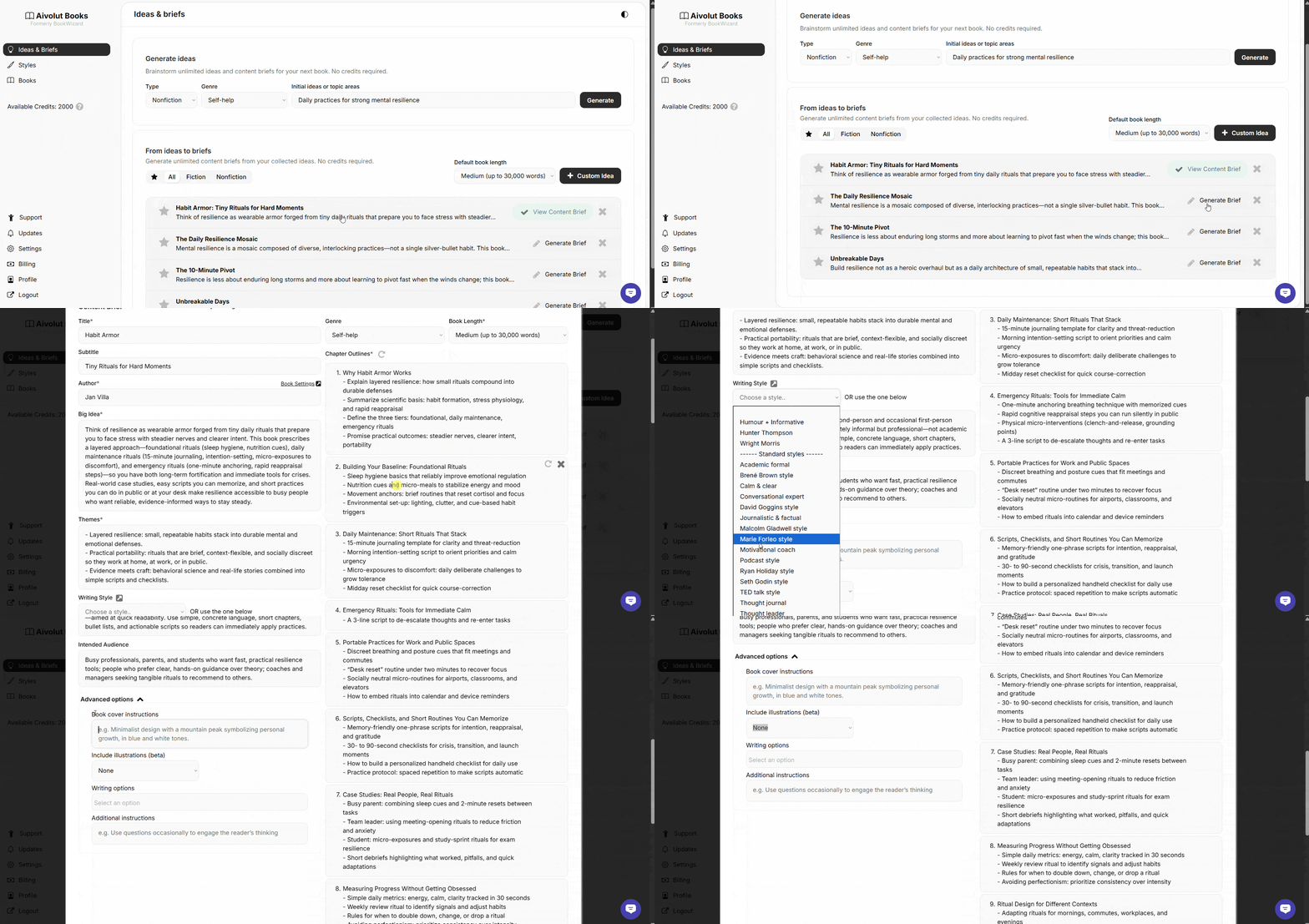
Once your ideas are generated, you’ll see them appear right below. From here, you can shape and refine them however you like.
Try these next steps:
Edit your ideas to make them clearer or more specific.
Tap the star to mark your favorite ones.
Click Generate Brief to turn your chosen idea into a detailed outline.
Open View Content Brief to review and make final adjustments.
Choose a writing style that best matches your vision.
Check out Advanced Options for more creative control and settings.
When everything looks good, you’re ready to move on and start writing the book.
TIP: Already have the perfect idea in mind? Click Custom Idea, type it in, and let the AI turn it into a full content brief in seconds.

Still have questions? Contact us for assistance.