To regenerate a book cover, follow these steps:
- Go to the Books section.
- Find the book you want to update. On the far right, click the three vertical dots (More Options).
- From the menu, select Regenerate Book Cover.
- Type your prompt or instructions to guide the style and look of your new cover, or leave the box empty to let the AI decide automatically.
- Click Regenerate.
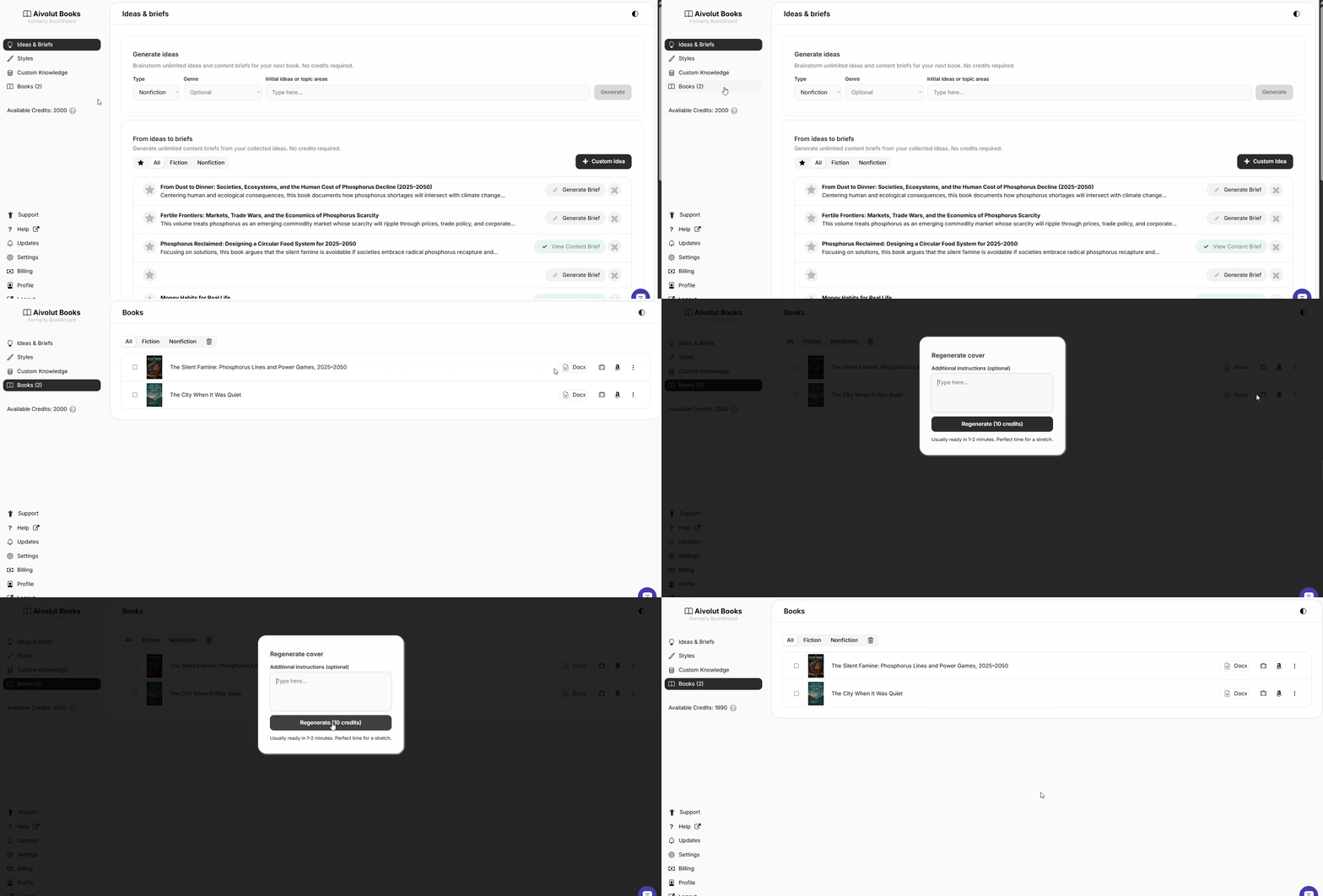
Note: Regenerating a cover costs 10 credits and usually takes 1–2 minutes to complete.