Upload reference files with Custom Knowledge to make Aivolut Books generate content based on your trusted material or factual data.
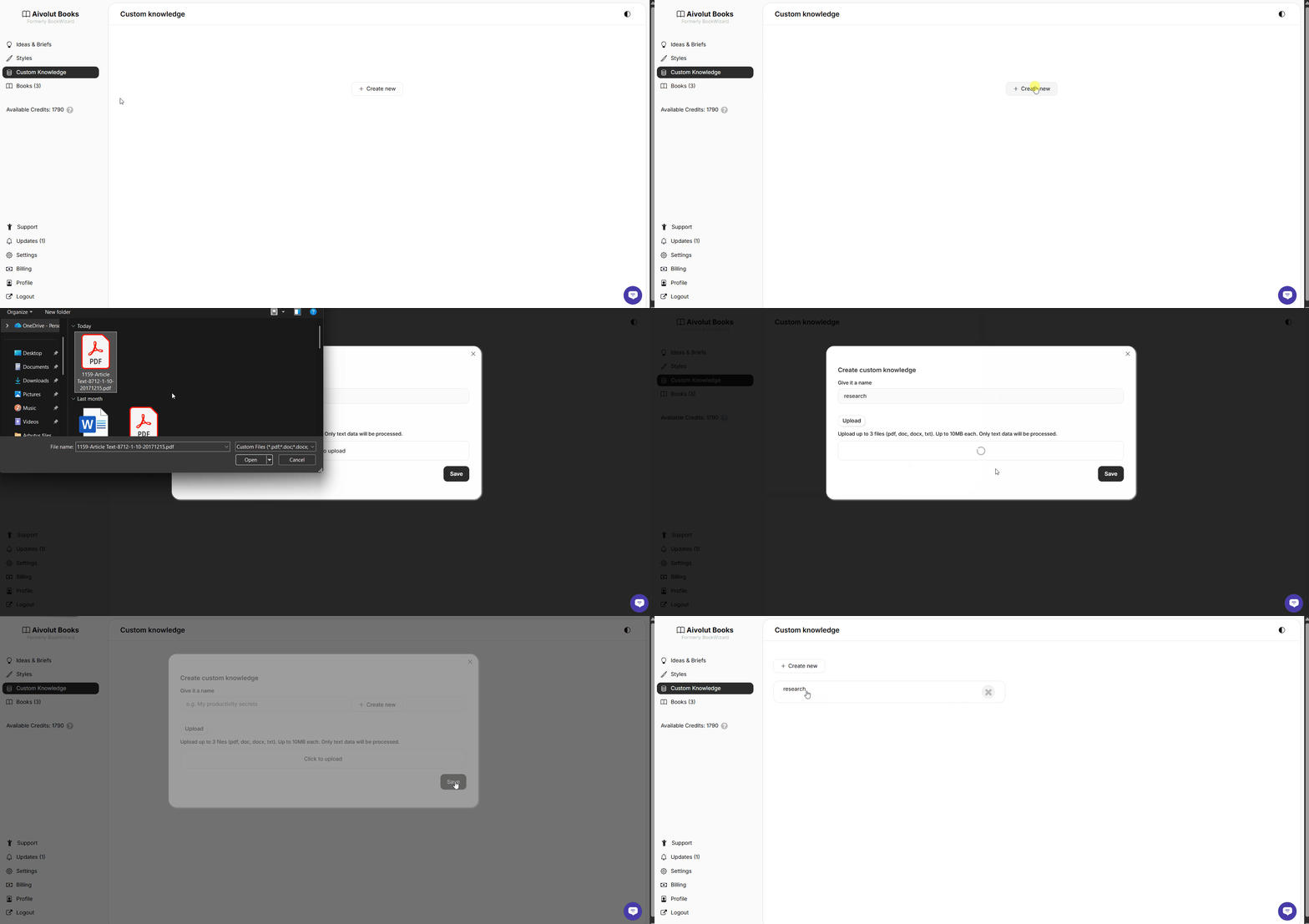
How to Create a Custom Knowledge
Follow these steps to create one:
From the left menu, click Custom Knowledge.
Click Create New.
Give it a clear name or title that fits your content.
Upload your file, it could be research, notes, and guides in PDF, .doc, .docx, or .txt file you want the AI to use as a reference.
Click Save, and your Custom Knowledge is ready to use.
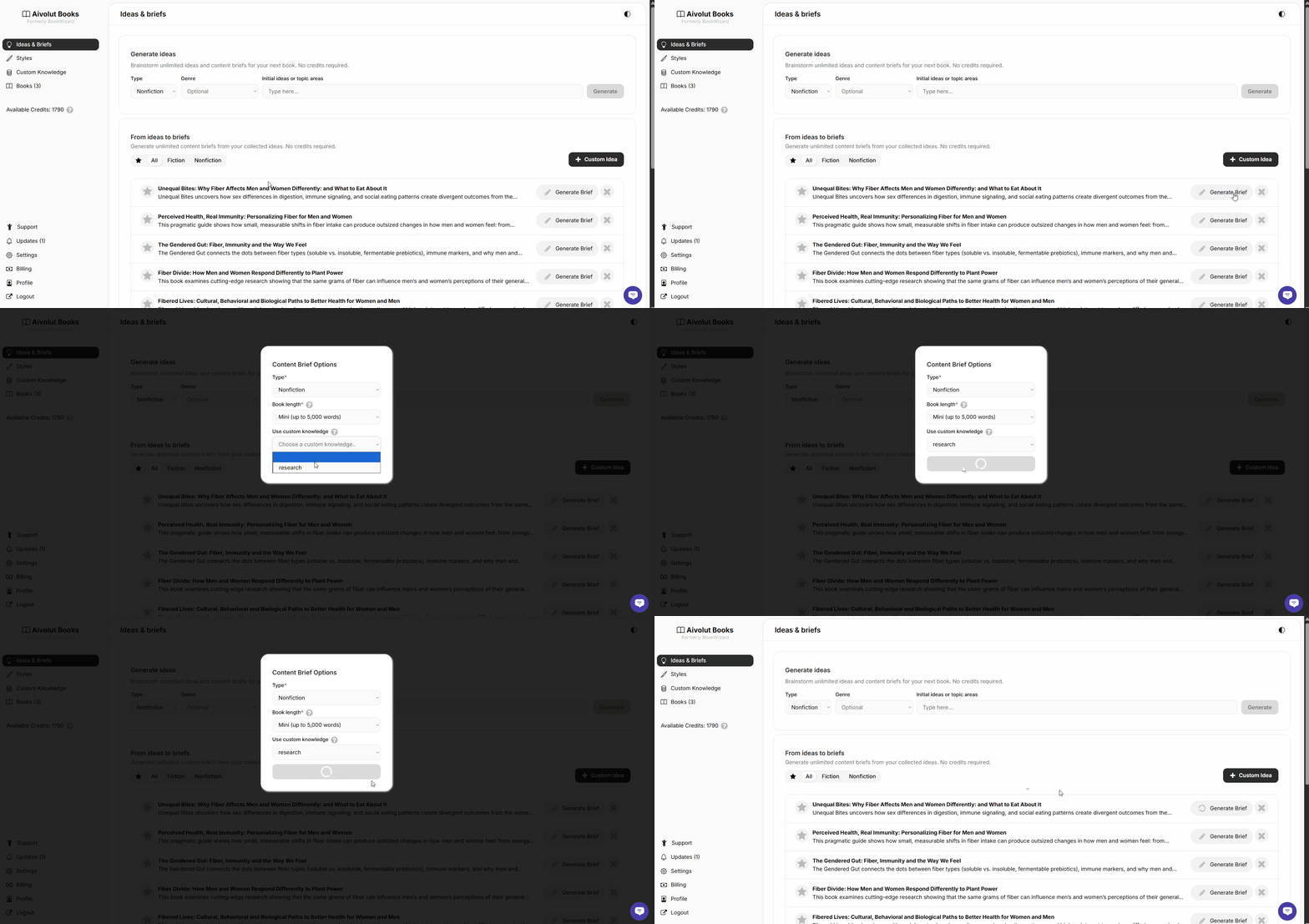
To apply it in your book creation process:
Go to one of your existing Ideas.
Click Generate Brief.
In the pop-up window, choose the Custom Knowledge you created.
Select it, then click Generate Brief.
The AI will now use your uploaded file as a factual or contextual reference, helping your content stay accurate, aligned, and rich in detail.
Still have questions? Contact us for assistance.